

Maps Are Not UI: Production Notes from React Native, Rate Limits, and Billing Failures

Debasish S.

Jan 30, 2026

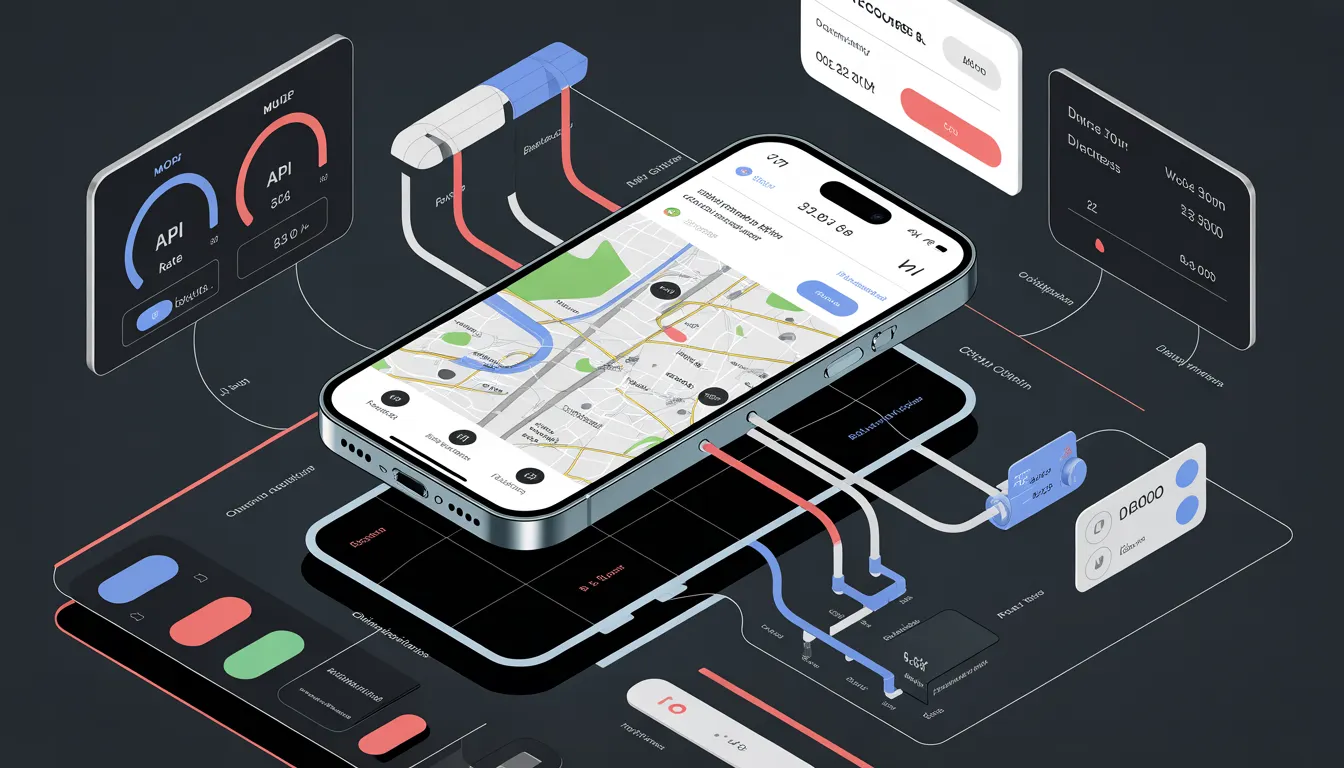
Q4 2025. A React Native app with ~40k DAU saw Google Places spend jump 6× week over week. No feature launch. No marketing spike. No crash reports.
Maps rendered. Autocomplete loaded. QA had passed.
The failure surfaced as silence:
- Autocomplete intermittently returned empty results
- Search felt “unreliable” to a subset of users
- Billing alerts arrived days later
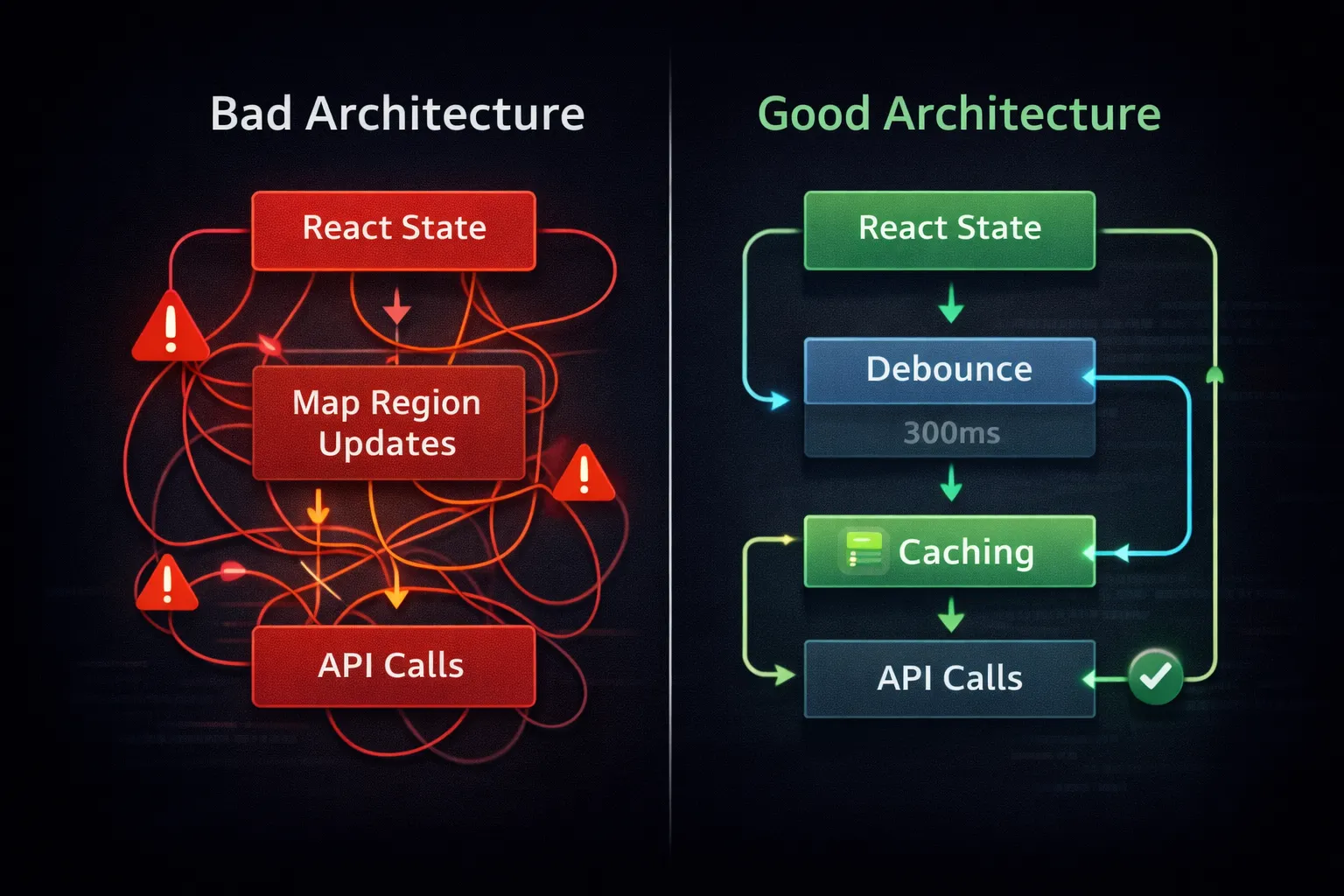
The root cause wasn’t a UI bug. It was architectural: a refactor tied onRegionChangeComplete to a nearby-search request. One pan gesture triggered dozens of calls. Real users amplified it. Rate limits followed. Costs exploded.
This is the failure mode teams hit when they treat maps as UI components instead of what they actually are:
Everything below comes from that realization.
Maps in React Native Are Systems, Not Components
A production map feature is not a <MapView />. It’s a system with coupled failure modes:
- Native map SDKs
- Places / autocomplete APIs
- Network latency and retries
- Device permissions and OS quirks
- Continuous gesture input
- Quotas, rate limits, and pricing tiers
When one part degrades, maps rarely crash. They silently decay:
- Results get sparse
- Autocomplete slows
- Markers fail for “some users”
These are the hardest bugs to catch in QA and the most expensive to discover in production.
Observed failure order in real traffic:
- 1. Quotas degrade → autocomplete returns empty arrays (no error)
- 2. Latency spikes → users retry gestures and searches
- 3. Retries amplify requests → rate limits trip
- 4. Billing becomes the first visible alarm
By the time finance notices, the architectural mistake is already weeks old.

State Management Is Where Maps Quietly Break
Most map failures blamed on “React Native Maps bugs” originate from applying normal React mental models to something that is not a normal React view.
Antipattern 1: Controlling the Map Like a Form Input
This creates feedback loops:
- Region update → render
- Render → region forced
- User gesture fights React
Production impact:
- 10–30× more JS ↔ native bridge crossings
- Gesture jitter
- More region-change callbacks than expected
Those callbacks often trigger network requests.
Antipattern 2: Recreating Markers on Every Render
Markers that visually persist are often destroyed and recreated every render.
Symptoms:
- Marker flashing
- Dropped taps
- Frame drops on mid-range devices
Root cause: unstable references and inline callbacks.
Lesson:
If React thinks something is ephemeral, native will treat it as disposable — and maps are expensive to dispose.
Antipattern 3: Binding Network Calls to Map Gestures
A single drag across a city can fire hundreds of calls per session.
No rate limit survives this.
Performance Debt Turns into Billing Debt
Maps sit at the boundary between JavaScript and native code. Every unnecessary update crosses that bridge.
Poor performance causes:
- Sluggish gestures
- User retries (“maybe it didn’t load”)
- Repeated pans, zooms, searches
Those retries multiply requests. Requests hit quotas. Quotas hit billing.
This is not hypothetical. In map-heavy apps, performance inefficiency converts directly into spend. The curve is steep and predictable.
Rate Limits Are the First Real Production Failure
You don’t hit rate limits in development. You hit them with real users behaving unpredictably.
Common causes:
1. No Debouncing on Autocomplete
Typing “coffee shop” slowly can generate 10+ requests.
With debouncing:
Same user intent. ~80% fewer calls.
2. No Caching of Place Details
Without caching, the same place ID gets fetched repeatedly:
- User taps marker
- Navigates back
- Taps again
Caching is not an optimization. It’s table stakes.
3. API Calls Tied to Viewport Changes
Map movement is continuous. APIs are discrete. Binding them directly guarantees overuse.
Autocomplete Is the Most Expensive Feature You Didn’t Worry About
Autocomplete feels cheap. It is often the largest cost center.
One slow typist:
Without debouncing: ~11 calls
With 300ms debouncing: 2 calls
At scale, this difference alone routinely turns:
-
“Low hundreds per month”
into - “Four figures before anyone notices”
The API behaves exactly as documented. The design assumes calls are free.
Billing Surprises Are Design Failures
Unexpected bills rarely come from scale. They come from unbounded request paths.
Common failures:
- No daily quota caps
- Shared API keys across dev, staging, prod
- No alerts on abnormal growth
- Keys unrestricted by platform or bundle ID
If a single bug can generate unlimited spend, the system is incomplete.
Billing controls are architectural guardrails, not ops hygiene.
Designing Map Features for Rate Limits
Assume:
- APIs will throttle
- Networks will degrade
- Users will retry
Design accordingly.
Non-negotiables:
- Debounce all user-driven searches (300–500ms)
- Require minimum character thresholds
- Cache place details locally
- Decouple network calls from gestures
- Treat rate limits as normal operating conditions
If your design only works when APIs are infinite and latency is zero, it doesn’t work.
Why Map Bugs Appear After Release
Map issues surface post-launch because:
- Real traffic hits real quotas
- Billing thresholds finally matter
- Network variance appears
- User behavior breaks assumptions
Maps amplify weak architecture faster than almost any other feature — and they do it with a meter running.
Conclusion: The Heuristic That Holds
Maps look visual. They behave like backend services.
Every autocomplete request, place lookup, and geocode:
- Costs money
- Consumes quota
- Has a failure mode
Once teams internalize that, decisions improve:
- Architecture respects constraints
- Costs stabilize
- UX becomes predictable
Heuristic:
If a map interaction can trigger a network request, assume it will be repeated, retried, and amplified — then design the cost envelope before you ship.
Maps are not UI. Design them like infrastructure.