

Speed vs Control: Choosing the Right Video Editing Tool at Every Stage

Rahul S

Jan 22, 2026

Video shapes how products are understood, trusted, and remembered. It is the default language of marketing brand building and digital communication. Yet many professionals feel trapped between speed and control, unsure which compromise is costing them more. On one side are fast template driven tools that help publish quickly. On the other side are professional grade tools that unlock creative freedom but demand skill time and structure.
This guide is written for marketers, content creators, founders, and video editors who feel the friction of tool limitations creative ceilings and workflow inefficiencies. The goal is not to promote tools. The goal is to help you choose the right tool at the right stage with clarity and confidence.
Why Tool Choice Becomes a Bottleneck
Most people do not struggle with ideas. They struggle with execution under pressure.
Common pain points seen across teams and solo creators include
- Heavy dependency on templates
- Limited creative control over layouts motion and visuals
- Export restrictions and quality compromises
- Difficulty maintaining brand consistency at scale
- Learning curves that slow production
- Tools that work for one video but collapse for larger workflows
Authorization — Is this request still allowed?
- Verifies the JWT signature
- Checks whether the token is still valid on the server
- Rejects revoked or expired sessions immediately
- Implemented with a custom JwtStrategy
These issues are not about talent. They are about using the wrong class of tools for the wrong outcome.
Beginner Friendly Video Editing Tools
Speed Accessibility and Low Friction Output
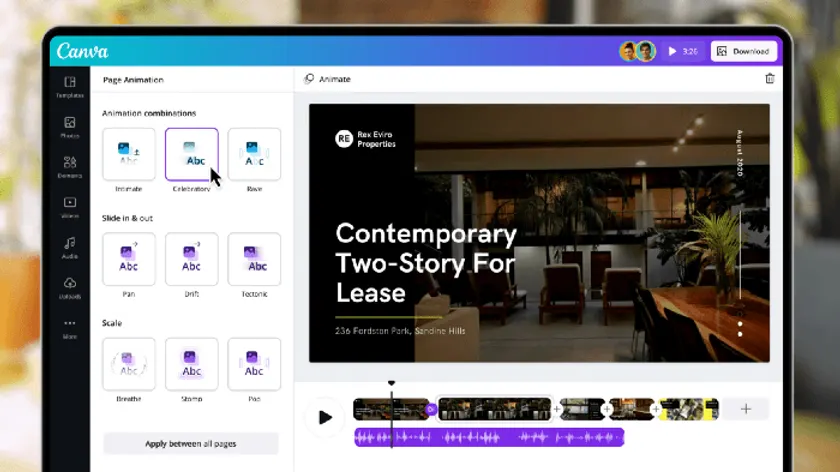
Tools like Canva, Clipchamp, and CapCut are designed for momentum. They reduce friction so ideas can move from thought to publish in minutes.
When These Tools Work Exceptionally Well
These tools are effective when:
- You need daily or high frequency marketing content
- Speed matters more than deep customization
- The video is meant for short lived platforms like social feeds
- Multiple non designers need to collaborate
- The brand already fits into common visual patterns
Typical use cases include:
- Social media reels and shorts
- Announcement videos
- Campaign teasers
- Basic explainers
- Ad variations
Why Marketers Love Them
From a marketing workflow perspective these tools solve real problems
- Instant access to templates fonts icons and stock assets
- No need to build layouts from scratch
- Minimal learning curve for teams
- Cloud based collaboration
- Fast export for multiple formats
In real client work marketing videos are often created in Canva. Not because it is perfect but because it allows speed accessibility and team wide participation. When the objective is reach consistency and frequency Canva reduces friction dramatically.
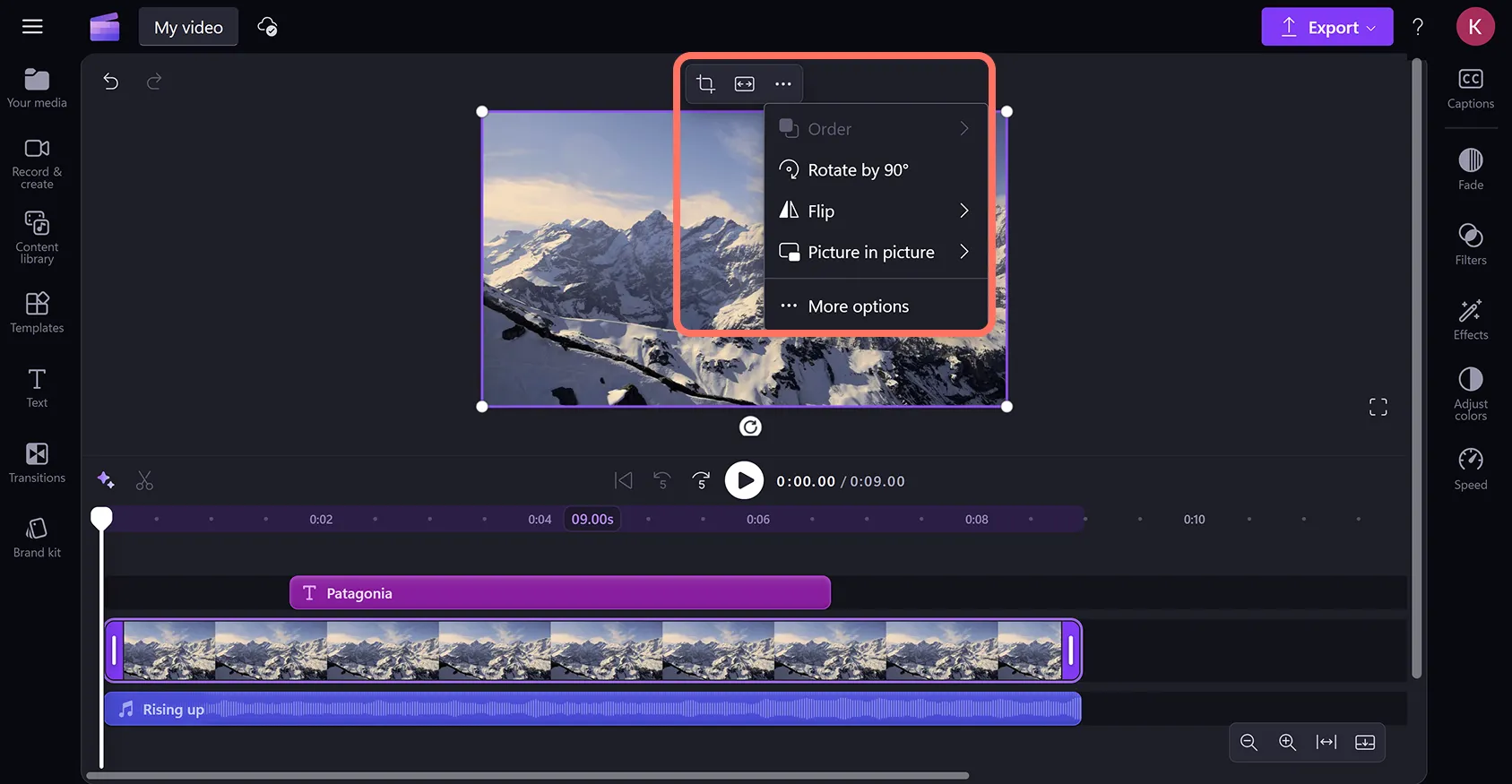
The Hidden Trade Offs
However these tools introduce structural limitations
- Creative output starts to look similar across brands
- Motion and transitions are constrained by presets
- Complex storytelling becomes difficult
- Advanced color control is absent
- Custom animation logic is limited
Template driven speed eventually creates a creative ceiling. The more your brand grows the more visible this ceiling becomes.
Advanced Professional Tools
Control Scalability and Creative Ownership
Professional tools exist for one reason. Control.
DaVinci Resolve and Adobe Illustrator are not built for speed first. They are built for precision freedom and long term scalability.
What Changes at the Professional Level
The biggest difference is not features. It is mindset.
In professional tools, nothing is assumed. Typography, motion curves, spacing, and color decisions all start from zero. Every element exists because someone made a deliberate choice.
This allows creators to design visuals that are not limited by templates predefined layouts or tool logic.
Real World Workflow Differences
When creating a company intro or brand defining video the approach changes completely.
Instead of selecting templates every element is constructed manually. Typography motion spacing color rhythm and transitions are designed to match the brand personality not a preset.
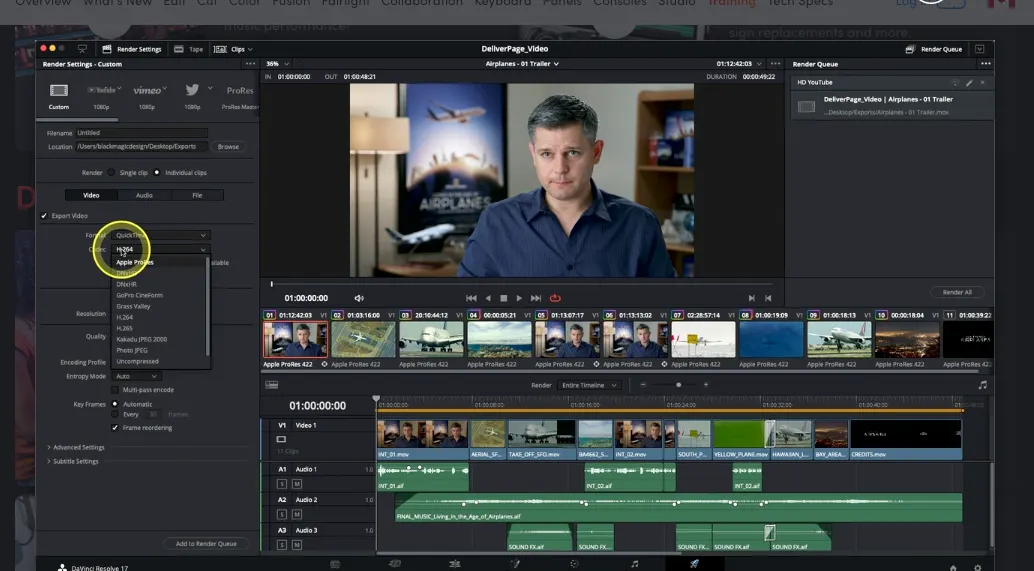
In DaVinci Resolve:
- Timelines are fully customizable
- Color grading is cinematic and precise
- Motion is layered and intentional
- Audio visual sync is controlled frame by frame
- Export quality is production grade
Adobe Illustrator supports this ecosystem by enabling:
- Clean vector assets
- Custom icons and illustrations
- Motion ready design components
- Brand systems that scale across media
These tools allow teams to build a visual language not just videos.
The Cost of Freedom
Professional control comes with responsibility
- Steeper learning curve
- Longer production cycles initially
- Requires visual thinking and planning
- Demands structured workflows
But the payoff is significant:
- Unique brand identity
- Consistent output across campaigns
- Reusable motion systems
- No creative ceiling
How Professionals Actually Choose Tools
This is not about beginner versus expert. It is about intent.
Use beginner friendly tools when
- The video is disposable or short lived
- Speed matters more than differentiation
- Teams need to move independently
- Content volume is the priority
Use professional tools when
- The video represents the brand long term
- Visual identity matters
- You need freedom not presets
- The video will be reused or scaled
- Quality signals trust and authority
In practice this means:
- Marketing videos for clients are created in Canva to move fast align teams and publish consistently.
- Brand intros flagship videos and identity defining content are created in DaVinci Resolve where every frame is intentional and unrestricted.
This is not a contradiction. It is a strategy.
The Real Problem Is Not the Tool
Many creators feel frustrated because they expect one tool to do everything.
Beginner tools are not broken. They are optimized for speed.
Professional tools are not slow. They are optimized for control.
The mistake is using speed tools for brand defining work or control tools for rapid content cycles.
Once this distinction is clear decision making becomes easier workflows improve and creative stress drops significantly.
Matching Tool Choice to Business Growth
As businesses scale their content needs evolve
- Early stage focuses on visibility
- Growth stage focuses on consistency
- Mature stage focuses on differentiation
Your tools must evolve with you.
Staying too long on template driven tools limits growth. Jumping too early into professional tools slows momentum.
The smartest teams use both intentionally.
The Missing Skill No Tool Can Replace
Even the most advanced software cannot solve one fundamental problem: clarity of vision.
Before opening any editor, the most important creative work happens away from the screen. It happens when you can clearly see the video in your mind — its rhythm, pacing, message, and emotional arc — before a single frame is recorded or edited.
This is the discipline many professionals skip. Not because it’s unimportant, but because it’s invisible. Yet the ability to visualize first is often what separates videos that merely look good from those that actually communicate something meaningful.
In the next piece, we’ll explore how professional teams approach visualization before touching a camera or timeline — and why this habit changes everything about how videos are planned, shot, and edited.